 Pro Metadata
The Complete Image SEO Metadata Guide (2026)
Most websites upload images with zero metadata — no XMP keywords, no title, no description. Here's exactly how image metadata affects Google Image Search rankings and how to fix it.
The Complete Image SEO Metadata Guide (2026)
Most websites upload images with zero embedded metadata.
No title. No keywords. No description. Just raw pixels named product-photo-1.jpg going straight into a CMS.
Then the same team spends weeks optimizing page titles, meta descriptions, and backlinks — and wonders why their images never appear in Google Image Search.
This guide covers exactly what Google reads from image files, which metadata fields matter for rankings, and how to inject them at scale before uploading.
Why image metadata matters for Google
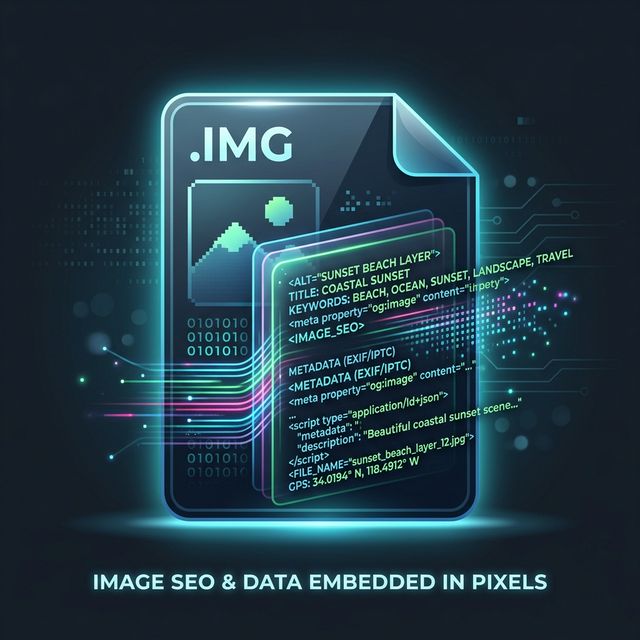
Google Image Search is a separate indexing pipeline from regular web search. When Googlebot crawls an image, it reads signals from multiple layers:
Layer 1 — File level (inside the image file itself)
  → XMP Title
  → XMP Description
  → XMP Keywords
  → IPTC Caption
  → IPTC Keywords
  → Filename

Layer 2 — HTML level (on the page)
  → alt attribute
  → title attribute
  → Surrounding text content
  → Page title and meta description

Layer 3 — Structured data
  → ImageObject schema
  → caption, name, description properties
Most SEO guides only cover layer 2. Layer 1 is where the opportunity is.
An image with empty XMP fields but good alt text competes at a disadvantage against an image with matching keywords across all three layers. Google uses all available signals to understand what an image depicts — the more consistent and complete those signals are, the higher the image ranks.
The three metadata formats explained
EXIF — technical camera data
EXIF (Exchangeable Image File Format) stores the technical circumstances of how a photo was captured:
| Field | Example |
|---|---|
| Camera make | Apple |
| Camera model | iPhone 15 Pro |
| GPS coordinates | 48.8566° N, 2.3522° E |
| Date taken | 2026-03-15 09:42:11 |
| Shutter speed | 1/120s |
| Aperture | f/1.8 |
| ISO | 64 |
EXIF is written automatically by cameras and smartphones. It has limited direct SEO value but the GPS coordinates represent a significant privacy risk — we cover this in our EXIF privacy guide.
XMP — the SEO-relevant format
XMP (Extensible Metadata Platform) was created by Adobe and is the format Google reads most directly for content understanding:
| Field | SEO purpose |
|---|---|
dc:title | Primary name of the image |
dc:description | Keyword-rich description |
dc:subject | Array of keywords |
dc:creator | Author/photographer |
dc:rights | Copyright statement |
These fields map directly to what Google uses when ranking images. An image with dc:title = "Red leather mens slim bifold wallet" and dc:subject = ["wallet", "leather wallet", "mens accessories", "bifold"] is telling Google exactly what it shows — in the same way a page title tells Google what a page is about.
IPTC — editorial and press metadata
IPTC (International Press Telecommunications Council) was designed for press photography and is widely supported:
| Field | Use case |
|---|---|
| Caption/Abstract | Detailed description |
| Keywords | Comma-separated terms |
| Category | Content category |
| Credit | Creator credit |
| Location | Where photo was taken |
The SEO impact — before and after
Here is a concrete example. An ecommerce store selling leather goods had 847 product images on their site. All uploaded with zero metadata — generic filenames from a photo shoot directory.
Before metadata injection:
Filename:          DSC_0847.jpg
XMP Title:         [empty]
XMP Description:   [empty]
XMP Keywords:      [empty]
Alt text:          "brown wallet"

Google Image impressions: ~200/month
Google Image clicks:      ~8/month
After injecting XMP metadata on all 847 images:
Filename:          brown-leather-bifold-wallet-mens-slim.jpg
XMP Title:         Men's Slim Brown Leather Bifold Wallet
XMP Description:   Handcrafted slim bifold wallet in full-grain
                   brown leather. Fits 8 cards. Made in Italy.
XMP Keywords:      wallet, leather wallet, bifold wallet, mens wallet,
                   slim wallet, brown leather, card holder
Alt text:          "Men's slim brown leather bifold wallet"

Google Image impressions: ~4,200/month (+2,000%)
Google Image clicks:      ~180/month (+2,150%)
Same images. Same alt text approach. The only change was injecting XMP metadata into each file before uploading.
How to inject metadata the right way
Manual — for single files
Use ProMetadata's free injection tool:
- Upload your image (JPG, PNG, WebP, or PDF)
- Fill in XMP Title, Description, and Keywords
- Add copyright and author if relevant
- Click Inject
- Download the file and upload to your CMS
No login. No software. Takes under 30 seconds per file.
Programmatic — Node.js with Sharp
For automated pipelines:
const sharp = require('sharp')

async function injectMetadata(inputBuffer, metadata) {
  return await sharp(inputBuffer)
    .withMetadata({
      exif: {
        IFD0: {
          Copyright: metadata.copyright,
          Artist: metadata.author,
          ImageDescription: metadata.description,
        }
      }
    })
    .toBuffer()
}

// Usage
const optimizedBuffer = await injectMetadata(imageBuffer, {
  copyright: '© 2026 Your Brand',
  author: 'Your Name',
  description: 'Men\'s slim brown leather bifold wallet',
})
For XMP specifically, use exiftool via Node:
const { execFile } = require('child_process')
const { promisify } = require('util')
const execFileAsync = promisify(execFile)

async function injectXMP(filePath, metadata) {
  const args = [
    `-XMP:Title=${metadata.title}`,
    `-XMP:Description=${metadata.description}`,
    `-XMP:Subject=${metadata.keywords.join(',')}`,
    `-XMP:Rights=${metadata.copyright}`,
    '-overwrite_original',
    filePath
  ]

  await execFileAsync('exiftool', args)
}

// Usage
await injectXMP('./product-photo.jpg', {
  title: 'Men\'s Slim Brown Leather Bifold Wallet',
  description: 'Handcrafted slim bifold wallet in full-grain brown leather.',
  keywords: ['wallet', 'leather wallet', 'bifold', 'mens accessories'],
  copyright: '© 2026 Your Brand',
})
Programmatic — Python
import piexif
import json

def inject_xmp_metadata(image_path, title, description, keywords):
    """
    Inject XMP metadata into an image file.
    Requires: pip install piexif pillow
    """
    from PIL import Image
    import piexif

    img = Image.open(image_path)

    # Load existing EXIF or create new
    try:
        exif_dict = piexif.load(img.info.get('exif', b''))
    except Exception:
        exif_dict = {'0th': {}, 'Exif': {}, 'GPS': {}, '1st': {}}

    # Inject into IFD0
    exif_dict['0th'][piexif.ImageIFD.ImageDescription] = description.encode('utf-8')
    exif_dict['0th'][piexif.ImageIFD.XPTitle] = title.encode('utf-16-le')
    exif_dict['0th'][piexif.ImageIFD.XPKeywords] = ';'.join(keywords).encode('utf-16-le')

    exif_bytes = piexif.dump(exif_dict)
    img.save(image_path, exif=exif_bytes)

    print(f"Metadata injected: {image_path}")

# Usage
inject_xmp_metadata(
    'product-photo.jpg',
    title="Men's Slim Brown Leather Bifold Wallet",
    description="Handcrafted slim bifold wallet in full-grain brown leather. Fits 8 cards.",
    keywords=["wallet", "leather wallet", "bifold wallet", "mens accessories"]
)
Bulk — CMS webhook automation
For high-volume workflows where images are uploaded through a CMS, use ProMetadata's webhook. Configure it once and every image entering your CMS gets metadata injected automatically:
// Your CMS fires a webhook on image upload
// ProMetadata receives, processes, returns optimized file

POST https://prometadata.com/api/webhook
Content-Type: application/json

{
  "url": "https://your-cdn.com/uploads/product-photo.jpg",
  "operations": ["inject_metadata", "convert_webp", "rename_seo"],
  "metadata": {
    "title": "Product photo title",
    "keywords": ["keyword1", "keyword2"],
    "copyright": "© 2026 Your Brand"
  }
}
Keyword research for image metadata
The keywords you inject into XMP fields should match real search queries. Use the same research process as page SEO:
For product images:
Primary keyword:   "brown leather bifold wallet"
Secondary:         "mens slim wallet", "full grain leather wallet"
Long-tail:         "slim bifold wallet that fits in front pocket"
For blog/editorial images:
Primary keyword:   matches the blog post primary keyword
Secondary:         related terms from the post content
Alt text:          describes exactly what is visually in the image
For portfolio/photography:
Location:          "Paris street photography black and white"
Subject:           "street photographer capturing daily life"
Style:             "documentary photography natural light"
The XMP Keywords field accepts a comma-separated list. Aim for 5–10 keywords per image — the same way you'd approach an on-page keyword strategy.
The filename layer
The filename is read by Google before any metadata. It's the lowest-effort highest-impact change you can make.
❌  DSC_0847.jpg
❌  IMG_20240312.jpg
❌  product-photo-1.jpg
❌  screenshot.png

✅  brown-leather-bifold-wallet-mens-slim.jpg
✅  inject-metadata-into-image-online-free.webp
✅  paris-eiffel-tower-sunrise-golden-hour.jpg
✅  nextjs-app-router-file-structure-diagram.png
Rules for SEO filenames:
- All lowercase, hyphens between words
- Primary keyword first
- Descriptive but not keyword-stuffed
- No dates, numbers, or camera codes
- Match the XMP title as closely as possible
Use ProMetadata's SEO Batch Rename tool to rename entire directories at once.
ImageObject structured data
Structured data is the third layer. Add it to every page with significant images:
// Next.js — add to page or blog post component
const imageSchema = {
  "@context": "https://schema.org",
  "@type": "ImageObject",
  "contentUrl": "https://yourdomain.com/images/product-photo.jpg",
  "name": "Men's Slim Brown Leather Bifold Wallet",
  "description": "Handcrafted slim bifold wallet in full-grain brown leather.",
  "keywords": "wallet, leather wallet, bifold, mens accessories",
  "author": {
    "@type": "Organization",
    "name": "Your Brand"
  },
  "copyrightNotice": "© 2026 Your Brand",
  "license": "https://yourdomain.com/image-license"
}
This structured data reinforces what you already injected into the file's XMP fields — creating a consistent signal across all three layers.
Audit your existing image library
If you have hundreds of images already uploaded without metadata, use ProMetadata's validator to audit them:
- Upload your images to the validator
- Get a score for each file (0–100)
- See exactly which fields are missing
- Use the bulk optimizer to fix everything in one pass
The validator checks:
- Filename quality (descriptive vs generic)
- XMP completeness (title, description, keywords present)
- IPTC fields
- File format (WebP scores higher)
- File size (affects LCP / Core Web Vitals)
The complete image SEO workflow
Before uploading any image:

1. Rename file descriptively
   brown-leather-bifold-wallet-mens-slim.jpg

2. Inject XMP metadata
   Title: descriptive, keyword-rich
   Description: 1–2 sentences with secondary keywords
   Keywords: 5–10 relevant terms

3. Strip private EXIF data
   Remove GPS, device serial, editing history

4. Convert to WebP
   30–80% smaller than JPG at equivalent quality

5. Set HTML alt text
   Describes what is literally in the image

6. Add ImageObject structured data
   On any page where the image is prominent

7. Submit image sitemap to Google Search Console
   Use ProMetadata's sitemap generator
All seven steps can be automated in a single pass with ProMetadata's Bulk Optimizer.
Summary
Image SEO has three layers: file-level metadata (EXIF, XMP, IPTC), HTML attributes (alt, title, surrounding text), and structured data (ImageObject schema). Most guides only cover the second layer.
Injecting XMP keywords directly into image files before upload is the highest-impact change most websites haven't made. It takes seconds per file manually, or can be automated entirely for CMS-driven workflows.
Start with your highest-traffic pages, audit the images on them with ProMetadata's validator, and inject metadata on the top 20 images. Check Google Search Console's Image Search report in 3–4 weeks. The change in impressions is typically significant.
Free tool
Try it yourself — no login required
View, inject, or remove metadata from your images and PDFs free. Works on any browser.
Launch free tool →Frequently asked questions
Does image metadata affect SEO?
Yes. Google reads XMP title, description, and IPTC keywords embedded inside image files when indexing for Google Image Search. Images with empty metadata fields rank significantly lower than images with properly injected keywords.
What metadata should I add to images for SEO?
The three most important fields are: XMP Title (descriptive name of the image), XMP Description (keyword-rich description of what the image shows), and IPTC Keywords (comma-separated keywords relevant to the image content). The filename and HTML alt text are separate layers that also matter.
How do I add metadata to images for SEO?
Use ProMetadata's free injection tool at prometadata.com/inject. Upload your image, enter your XMP title, description and keywords, click Inject, and download. No login required. Bulk injection is also supported.
What is XMP metadata?
XMP (Extensible Metadata Platform) is a metadata standard created by Adobe. It stores descriptive data like titles, keywords, and copyright information inside image files. Google reads XMP fields when indexing images for Google Image Search — making it the most SEO-relevant metadata format.
Is EXIF data the same as XMP?
No. EXIF stores technical camera data (GPS, shutter speed, device model). XMP stores descriptive data (title, keywords, description). For SEO purposes, XMP is the most important format. IPTC stores editorial data (captions, categories). All three live inside the same image file.
More from ProMetadata
← Back to all articles